








ClickUp: tasks, docs and time tracking in one place
The all-in-one project management platform: tasks, documents, kanban boards, time tracking and chat in a single workspace
What is ClickUp?
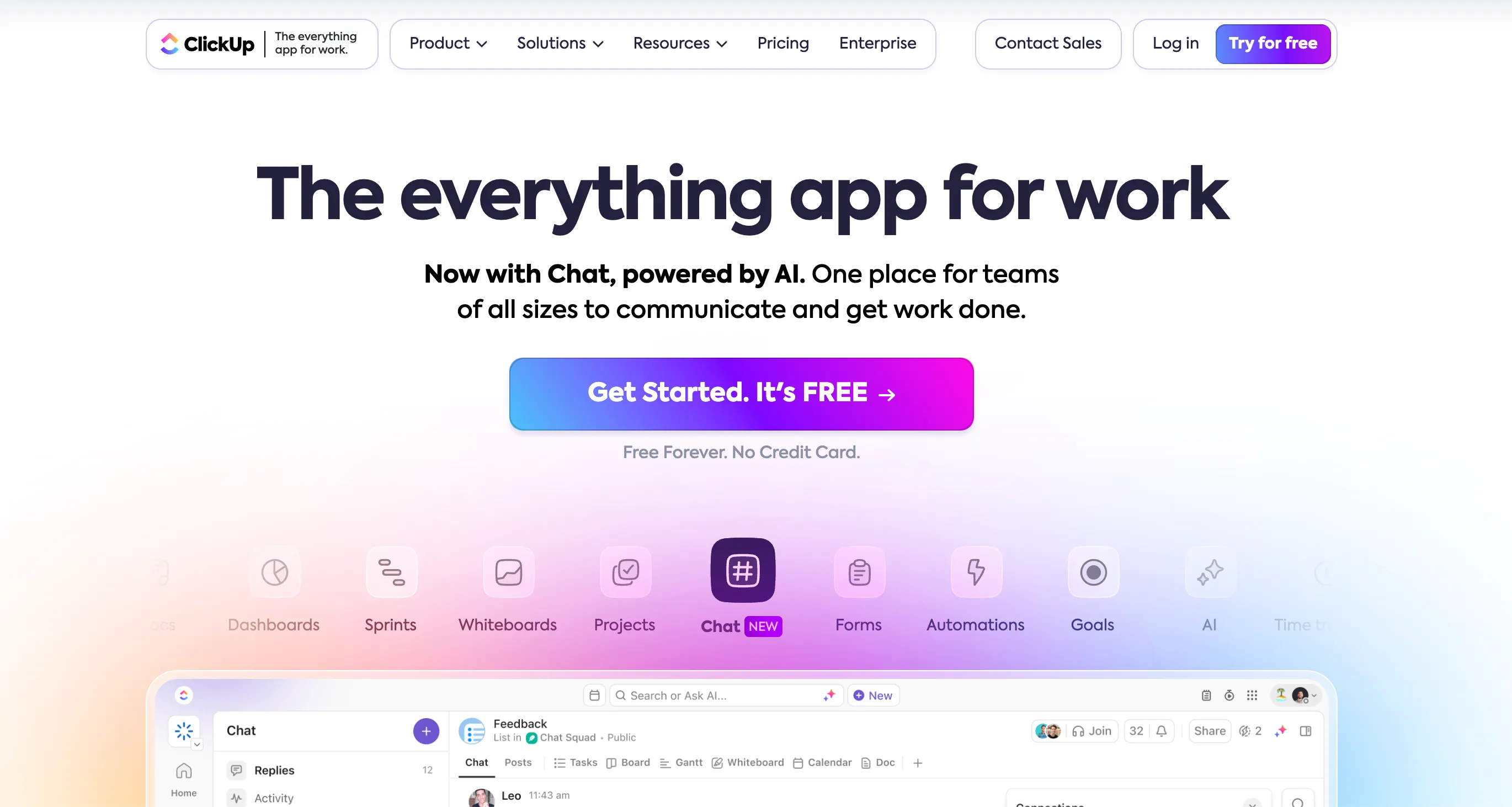
ClickUp is an all-in-one project management platform. In a single workspace, you find your tasks and subtasks, collaborative documents, kanban boards, a calendar, time tracking, a chat and even video calls. The stated ambition is to replace several subscriptions (task management, notes, messaging, time tracking) with one tool, with a free plan that has no time limit.
Who is ClickUp for?
Freelancers who want to centralize everything: client projects, meeting notes, time spent per assignment, brief forms. If you are a developer, an independent project manager or you run a small collective, ClickUp saves you from juggling four tools. On the other hand, if you want a tool your client opens and understands in thirty seconds, Asana is more readable, and if you just want a clean task list, Todoist or Trello will do the job with no setup.
What you can do with ClickUp
- Manage tasks without limits: unlimited tasks, subtasks and members from the free plan, with list, table, calendar and kanban views.
- Write your docs in the same place: collaborative documents linked to your tasks, for meeting notes, briefs or your knowledge base.
- Track your time: built-in timer on each task from the free plan; timesheets and billable time from the Business plan.
- Customize your workflows: custom fields, task types, statuses and automations (5 active rules on the free plan, unlimited from Core).
- Communicate without leaving the tool: chat, SyncUps video calls and forms to receive your clients' requests.
- Connect your storage: Google Drive, Dropbox and Box from the Core plan.
- Use AI: ClickUp Brain writes, summarizes and takes meeting notes, with a monthly credit quota depending on the plan.
ClickUp pricing in 2026
- Free Forever: $0. Unlimited tasks and members, docs, kanban, calendar, time tracking, video calls, 1 form, 60 MB of storage, 5 active automations.
- Core: $9 per user per month billed yearly. Unlimited storage and spaces, unlimited forms and Gantt charts, custom fields, Google Drive, Dropbox and Box, live chat support.
- Business: $17 per user per month billed yearly. Everything in Core, plus advanced time tracking, premium AI models included and more folders per space.
- Enterprise: priced on request. Max: $100 per user per month billed yearly, with unlimited AI.
ClickUp announces up to 33% savings with yearly billing compared to monthly, whose rate is shown on the site. Prices in dollars. Prices checked on clickup.com in November 2026.
Why we recommend ClickUp
At FreelanceKit, we picked ClickUp for the generosity of its free plan: unlimited tasks and members, docs, time tracking and kanban without pulling out your card is rare in this category. For a freelancer who wants one place for projects, notes and time, the free plan holds up for a long time, and Core at $9 stays below Asana's entry price.
The weak point to know: ClickUp does a lot, and it shows. The interface is dense, the menus are many, and without an hour or two of setup at the start, you end up with a tool heavier than your need. The 60 MB of storage on the free plan runs out as soon as you attach a few files, and prices are in dollars.
ClickUp or another solution?
If you are hesitating between Asana, Trello, Notion and Todoist, see our page on alternatives to ClickUp.
Strengths and weaknesses
Strengths
- Generous Free Forever plan: unlimited tasks, subtasks and members, collaborative docs, kanban, calendar and time tracking
- All-in-one: tasks, documents, chat, video calls and forms replace several subscriptions
- Highly customizable views and workflows: list, board, calendar, Gantt, custom fields and task types
- Core at $9 per user per month billed yearly, cheaper than the equivalent at Asana
Weaknesses
- Busy interface: the sheer number of features is confusing at first and takes time to set up
- Storage capped at 60 MB on the free plan: as soon as you attach files, you need Core
- Pricing in dollars, and the AI (ClickUp Brain) runs on monthly credits, capped depending on the plan
Frequently asked questions about ClickUp
ClickUp is an all-in-one project management platform. It brings tasks, collaborative documents, kanban boards, calendar, time tracking, chat and video calls together in a single workspace. The idea is to replace several tools (task management, docs, messaging) with one subscription.
The Free Forever plan is $0. Core costs $9 per user per month, Business $17 per user per month, billed yearly (ClickUp announces up to 33% savings compared to monthly billing). Enterprise is priced on request and Max, with unlimited AI, costs $100 per user per month billed yearly. Prices checked on clickup.com in November 2026.
Yes, the Free Forever plan has no time limit. It includes unlimited tasks and subtasks, unlimited members, collaborative docs, kanban, calendar view, time tracking, video calls and 1 form. The limits: 60 MB of storage, 5 active automation rules and an activity history of 1 day.
Yes if you want to centralize your client projects, your notes and your time spent in a single tool, without paying. The free plan is enough for a freelancer. The flip side is the learning curve: ClickUp does a lot, and you have to accept spending an hour or two setting it up so it stays simple day to day.
ClickUp packs more features (docs, chat, built-in time tracking, whiteboards) at a lower price, but its interface is denser. Asana is easier to read and easier to share with a client who has never used this kind of tool. If you want one tool for everything, ClickUp. If you want simplicity, Asana.
Yes, time tracking is included from the free plan, directly on each task. Advanced time tracking (timesheets, billable time, reports) is reserved for the Business plan and above.
Alternatives to ClickUp
What we would use instead, in the same category.








Compare all the alternatives to ClickUp
See our full comparison of the 4 alternatives to ClickUp in 2026: prices, features and strengths, in detail.
🚀See the full comparison